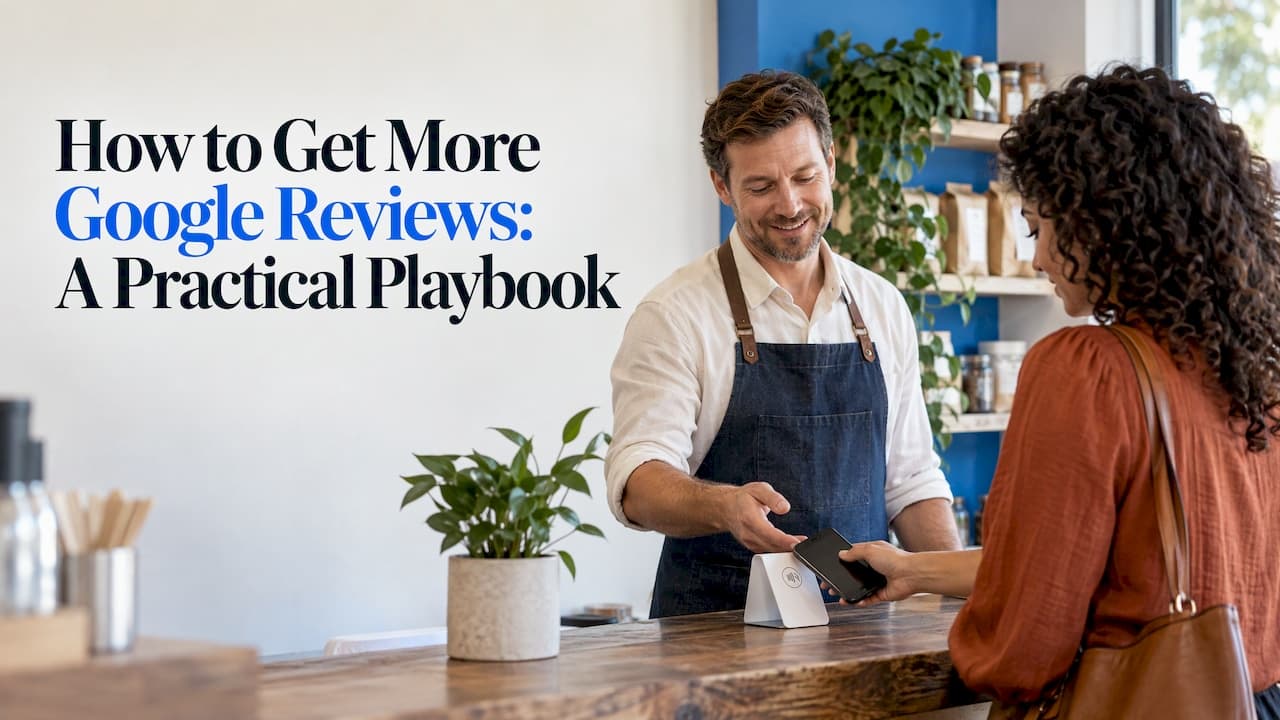
The way to get more Google reviews is to make leaving one take about ten seconds and to ask every happy customer, every day, at the moment they are most satisfied. Create your direct review link, turn it into a QR code or an NFC tap, put it where the customer already is, and follow up with a short message. Do it without incentives, because Google bans them.
This guide walks through each step for an independent business: restaurants, salons, shops, clinics and service companies that rely on local search. It covers the rules, the routine and the math of how many reviews it takes to move your rating.
TL;DR
- Use your direct Google review link, as a QR code or an NFC tap, so customers skip the searching and land on the review box.
- Ask in person at the happy moment, then send one short follow-up by text or email to people who did not leave a review.
- Never offer discounts, gifts or payment for reviews, and never filter who you ask. Google's policy prohibits both.
- Reply to every review. Steady volume matters more than a one-time push.
- Build a routine: one review request per transaction, a stand at the counter, a card in every bag or on every table.
Table of Contents
- Why customers don't leave reviews (and what that tells you)
- Step 1: Get your direct Google review link
- Step 2: Turn the link into a QR code or an NFC tap
- Step 3: Ask the right way, at the right moment
- Step 4: Follow up with people who didn't review
- What Google allows and what it doesn't
- Perspective: why a physical tap beats a reminder to "search for us"
- Step 5: Build the routine, not the campaign
- How many reviews does it take to move your rating?
- Can you get to 1,000 Google reviews?
- How to respond to the reviews you get
- Get more online reviews beyond Google
- Choosing the right card or stand
- Get started with TapStand Supply
- FAQ
- Sources
Why customers don't leave reviews (and what that tells you)
Most satisfied customers are not against leaving a review. They just never get around to it. The usual blockers are friction and timing:
- They don't know you want a review.
- They have to find your listing, then find the review button, then sign in.
- They are busy paying, leaving or driving when the thought crosses their mind.
- They intend to do it later, and later never comes.
Every tactic below removes one of those blockers. You ask clearly, you shorten the path to a single tap or scan, and you ask at the moment the good feeling is fresh.
Step 1: Get your direct Google review link
Before anything else, you need the link that opens your review box directly. Sign in to your Google Business Profile, find the option to read your reviews and look for the button that lets you ask for more. Google then gives you a short link you can copy and share. Check that it opens the review form when you paste it into a browser while signed in with a personal account.
Test the link on a phone, not only on your laptop. Most customers will use a phone, and you want to see exactly what they see: your business name, the stars and an empty text box.
Keep this link in one place. Everything else in this guide, from receipts to cards to texts, points at it.

Step 2: Turn the link into a QR code or an NFC tap
A link is useful in an email. At a counter or a table, it is useless unless the customer types it. That is where QR codes and NFC tags earn their place.
- QR code: the customer opens their camera, points it at the code and taps the pop-up. It works on practically every modern phone.
- NFC tap: the customer holds the top of their phone against a card or stand, and the review page opens. No app is needed, which keeps the process short.
Offering both is the safest approach. Some customers prefer to scan, others like the tap, and a card with both covers everyone. We make cards and stands that combine the two so a customer can use whichever feels natural. See the NFC and QR Google review cards for the standard format, and our guide on how to set up NFC Google review cards if you want to program your own link.
Where to put the card or stand
Placement decides how many people use it. The best spots are where customers pause with their phone already in hand:
| Business type | Best placement | Format that fits |
|---|---|---|
| Restaurant or café | Table, check presenter, counter | Counter stand or adhesive card |
| Retail shop | Register, bag, fitting room mirror | Counter stand, card in the bag |
| Salon or barber | Mirror at the chair, checkout desk | Adhesive card at the station |
| Mobile or home service | Handed over at job completion | Portable card without adhesive |
| Clinic or office | Reception desk, exit door | Counter stand |
One visible stand at checkout is a good start. A card on each table or station multiplies the opportunities, since the customer sees it for the entire visit, not only at the end.
Step 3: Ask the right way, at the right moment
The single biggest lever is a personal, specific request. A sign alone gets some reviews. A sign plus a human asking gets many more.
Ask when the customer is happy. A diner who has just said the food was great, a client who has just seen a finished haircut, a customer whose problem you just solved. Those are the moments to say something.
Keep the script short and low-pressure. For example:
- "If you enjoyed it today, a quick Google review helps us a lot. You can just tap your phone here."
- "We're a small shop and reviews are how new people find us. It takes about a minute."
Make it easy to say no. Nobody should feel cornered. A friendly ask followed by moving on works better than repeated nudging, and it protects the relationship.
Train everyone. If you have staff, give them the same two-sentence script and show them the card. A review request that only the owner makes will only happen on the days the owner is there.
Step 4: Follow up with people who didn't review
Some customers will say yes and forget. A short follow-up, sent the same day or the next, picks up many of them. Keep it to a single message:
Thanks for visiting today. If you have a minute, we'd really appreciate a review here: [your link]. Thank you!
A few rules for follow-ups:
- Send one, not three. A reminder is a courtesy. A string of reminders is pressure.
- Use the channel you already have. If you took a booking by text, follow up by text. If you took an email for a receipt, use that.
- Send the same message to everyone. Do not send the link only to customers you expect to be happy. Google specifically bans selectively soliciting positive reviews.
- Respect consent. If you are texting or emailing customers, make sure you have their permission to contact them for this purpose.
What Google allows and what it doesn't
You are allowed to ask for reviews. You are not allowed to buy them or to shape who writes them. Google's Maps user-generated content policy prohibits offering payment, discounts, free goods or services in exchange for posting a review, changing a review or removing a negative one. It also bans discouraging negative reviews and selectively asking only happy customers.
That gives you clear answers to common questions:
- Is it legal to buy Google reviews? Do not. It breaks Google's policy, and reviews bought from third parties are the kind that get removed. A business that builds its reputation on them risks losing them all.
- Can I offer a free coffee for a review? No. That is an incentive.
- Can I only ask my regulars? Ask everyone the same way. Filtering for likely 5-star reviewers is selective solicitation.
- Can I ask the customer to remove a bad review? You can reply publicly and resolve the problem. Offering something in exchange for removal is prohibited.
If you run a business in the United States, also be aware that consumer review practices are regulated beyond Google's own rules. Before you launch any program that touches reviews, check with the Federal Trade Commission's guidance or an attorney who handles advertising law.
Perspective: why a physical tap beats a reminder to "search for us"
We built our cards because we kept hearing the same story from owners. The service was good, the customers were happy, and the review count stayed flat.
The problem was never kindness. It was steps. If a customer has to remember your name, open an app, find your listing and scroll for the button, most will stop at step one. Our approach removes the steps. The card carries a direct, programmable link to your review page, and the customer opens it with a tap or a scan. No app to download, no monthly subscription to keep it working.
We also think a business should have options. Some of your customers will scan, some will tap, and some read another language. That is why we offer cards in both NFC and QR formats, plus multilingual designs. A card in the customer's own language removes one more reason to walk away.
The best review routine is boring: one card in the right place, one friendly sentence from your team, every day. Do that for a few months and the numbers move.
Trent
Step 5: Build the routine, not the campaign
A burst of 30 requests in a week looks good for a moment. A steady trickle of two or three a day is what builds a reputation, because it keeps your newest reviews recent and your rating current.
Here is a simple weekly routine for a small business:
- Every transaction: the card or stand is visible at the point of sale.
- Every happy moment: staff say the short script.
- End of day: send one follow-up to customers whose contact details you hold.
- Once a week: read new reviews and reply to each one.
- Once a month: count your new reviews and look at what customers mention most.
If you run several locations, give each its own Google Business Profile link and its own card, so reviews land on the right listing.
How many reviews does it take to move your rating?
Your star rating is an average, so the math is simple and a little humbling. The more reviews you have, the more 5-star reviews you need to move it.
Example: you have 40 reviews averaging 4.2 stars. That is 168 stars in total. Add five new 5-star reviews and you have 193 stars across 45 reviews, an average of about 4.3. To reach 4.5, you would need roughly 24 new 5-star reviews with no lower ones mixed in.
Two lessons follow:
- Volume compounds. The sooner you start a routine, the less each individual review matters, and the less a single unfair 1-star hurts.
- Don't chase a number. You cannot control what customers write, and you should not try to. Focus on how many happy customers you ask, and the rating follows the quality of your service.
Can you get to 1,000 Google reviews?
Many established businesses do, but over years, not weeks, and nobody can promise you a number. The path is the same as above, scaled up:
- Ask every customer, every day.
- Place cards or stands at every point of contact.
- Train new staff on the script from day one.
- Follow up with one message.
- Reply to reviews so customers see you are listening.
If you see 20 customers a day and 5 percent leave a review, that is one a day and about 365 a year. Raise the ask rate and the conversion by making the process easier, and the same business can double that. These numbers are an illustration of the math, not a forecast. Your results depend on your customers and how consistently you ask.
How to respond to the reviews you get
Replies are part of the system. They show future customers how you treat people, and they show reviewers that someone read what they wrote.
For positive reviews:
- Thank them by name.
- Mention something specific from their review, like a dish or a service.
- Keep it short and warm.
For negative reviews:
- Respond calmly and promptly.
- Acknowledge the problem without arguing.
- Offer to make it right offline, with a phone number or email.
- Never ask the reviewer to delete the review as a trade for a fix.
A thoughtful reply to a 2-star review often does more for your reputation than ten quiet 5-star ones, because it shows how you behave when things go wrong.
Get more online reviews beyond Google
Google is usually the priority for local businesses, but the same method applies elsewhere. If your customers also look at travel or social platforms, give them a direct path there too:
- Hospitality businesses can add a Tripadvisor review card next to the Google one.
- Shops and salons that rely on social proof can use Instagram and Facebook cards to grow followers.
- Restaurants can pair review cards with menu tap cards so the same table hardware does two jobs.
Don't scatter attention across five platforms at once. Start with Google, get the routine working, then add one more.
Choosing the right card or stand
The right format depends on where and how you serve customers.
| Format | Best for | Price |
|---|---|---|
| NFC and QR Google review card | General use, counters, tables | 3.57 $ per card |
| Portable card without adhesive | Mobile services, handing to customers | 2.00 $ per card |
| Multilingual card | Mixed-language customer base | 3.57 $ per card |
| Colorful card | Brands that want a bright look | 3.57 $ per card |
| Full black card | Premium or minimalist spaces | 3.57 $ per card |
| White counter stand | Checkout and reception | 3.84 $ per stand |
| Black counter stand | Checkout and reception | 3.84 $ per stand |
Prices are as published on our site. Check the product pages for current availability and any bulk options for multiple locations or resale.
Get started with TapStand Supply
If you want the fastest path from "we should get more reviews" to a working routine, start with a card or stand at your counter. Our cards carry a programmable link to your review page, work with a tap or a scan, and need no monthly subscription. Our Google NFC review cards with free shipping are priced from 3.99 $ to 19.99 $ per card depending on the option, and you can browse the full range on our products page.

If you manage reviews for clients, we also support resellers who want customizable cards in bulk and set their own markup.
FAQ
How do I get more Google reviews for free?
Ask every happy customer in person, share your direct review link by text or email, and display a QR code at your counter. These cost nothing beyond a printout. Never offer discounts or gifts in exchange, since Google prohibits incentives.
How long does it take to see results?
There is no fixed timeline, and no one can guarantee one. Results depend on how many customers you serve and how consistently you ask. Businesses that ask every customer, every day, usually see the count rise steadily within a few weeks.
Can I ask customers to leave a 5-star review?
Ask for an honest review, not a specific rating. Pushing for five stars, or asking only customers you expect to be happy, conflicts with Google's ban on selective solicitation. Ask everyone the same way and let the experience speak.
Do customers need an app to use an NFC review card?
No. A modern phone opens the linked page when held against the card, and the QR option works with the regular camera. Our cards are designed so the customer needs nothing extra.
What if I get a negative review?
Reply politely and quickly, acknowledge the issue and offer to resolve it offline. Do not argue or ask for removal in exchange for compensation. A calm reply shows future customers how you handle problems.